Serif PhotoPlus review: a practical Windows photo editor for creators
Serif PhotoPlus, from Free Serif Software, is a Windows raster editor intended for photo retouching and composite image creation. It provides pixel-level editing, multi-layer compositing, advanced selection tools, and export workflows to prepare images for print or screen, covering correction, masking, and layout tasks. The app includes quick-fix tools, guided selection aids, and integrated learning resources to ease onboarding for new users. It targets hobbyists and budget-conscious creators who want professional features without an account-gated workflow.

Unlock your creativity with Adobe Stock
Get 10 images or 1 video with a free trial
What file types and camera formats does the app work with?
The app opens and writes industry-standard image files, including layered Photoshop documents and common raster formats, and it processes raw camera files through its dedicated raw studio. PSD import and export preserve layer data, and the tool handles both standard delivery formats and files originating from digital cameras. For creators moving projects between applications, that compatibility keeps composite work portable across workflows.
How does the interface support learning and hands-on editing?
The layout exposes layer controls and masking tools alongside guided features, which helps newcomers begin with one-click fixes while letting them graduate to manual edits. Smart Selection and PhotoFix studio place selection and quick corrections within reach, and the integrated learning resources explain workflows as users progress. That arrangement makes the tool usable for immediate tasks and for more deliberate editing practice.
How does the app handle output quality for prints and high-dynamic scenes?
Output focuses on photographic fidelity, with HDR merging and 16-bit color support that preserve extended tonal range for demanding images. The raw processing path keeps camera data available for tonal control, so final exports can retain highlight and shadow detail. These capabilities suit creators preparing images for reproduction where color gradation and dynamic range matter.
Is it better for casual users or careful experimenters?
The app sits between entry-level and exploratory use: hobbyists gain quick results from guided tools, while patient users can exploit layers and advanced selections for complex composites. Because it accepts layered and raw files, creators should be attentive to provenance and copyright when combining source material, and use metadata responsibly when preparing published images.
A capable archival-era editor for hobbyists, with an important limitation
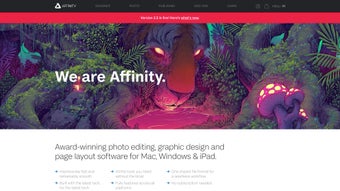
The app is a capable choice for hobbyist photographers and creative learners who need hands-on editing without account gating, and it suits portfolio work and recovery of older projects. Although the developer shifted attention to the Affinity line and the 'Plus' range is discontinued, the tool remains useful for exploration and production; professionals requiring ongoing camera-profile updates should prefer actively developed alternatives.